icccomputercentre.com

JAVA

Master Tally with our expert-led Tally Prime Course in Dwarka Mor. Learn accounting, GST, payroll, and more with hands-on training and certification. Join now for career growth!

Course Overview

ICC Computer Centre, Dwarka Mor mein Java Programming Course aapko object-oriented programming (OOP), software development, aur application design sikhata hai. Is course mein aap Java fundamentals, data types, loops, conditionals, classes & objects, inheritance, exception handling, GUI development, and basic database connectivity (JDBC) seekhenge. Yeh course beginners aur professionals dono ke liye suitable hai jo software development, web applications, or Android development mein career banana chahte hain. Practical examples aur hands-on exercises ke through, aap apne coding aur problem-solving skills ko professional level tak enhance karenge.

Course Content

1. Introduction to Java

    • History of Java

    • Features of Java

    • Java Virtual Machine (JVM)

    • Java Development Kit (JDK)

    • Java Runtime Environment (JRE)

    • First Java Program Structure

    • Compiling & Running Java Program

    • Java IDEs Overview (Eclipse, NetBeans, IntelliJ)

    • Java Keywords

    • Comments in Java

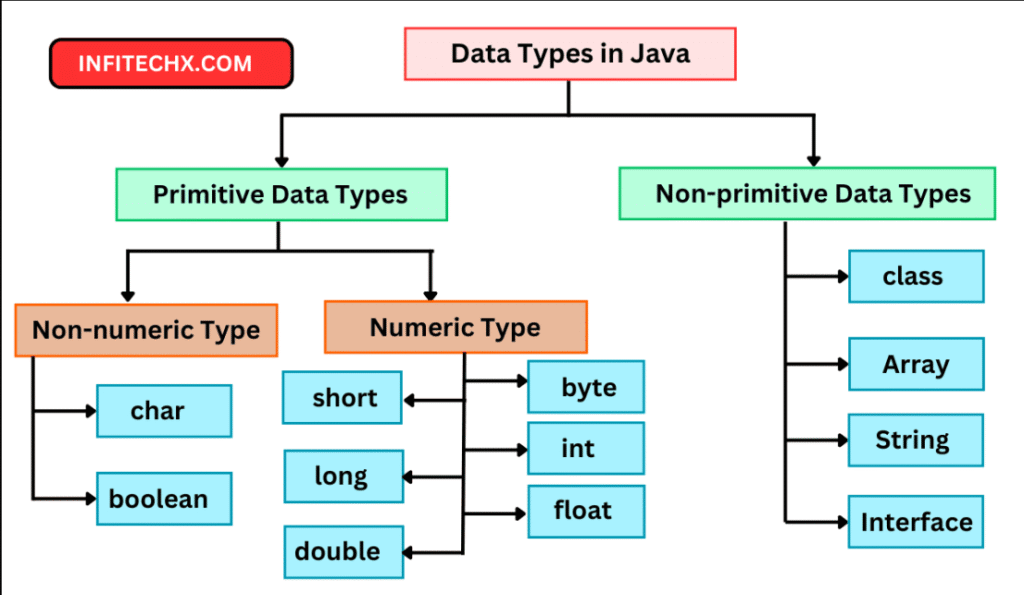
    • Primitive Data Types (int, float, char, etc.)

    • Non-Primitive Data Types (String, Arrays, etc.)

    • Variables Declaration & Initialization

    • Constants and Literals

    • Type Casting (Implicit & Explicit)

    • Wrapper Classes

    • Default Values of Variables

    • Scope of Variables

    • Operators with Variables

    • Naming Conventions

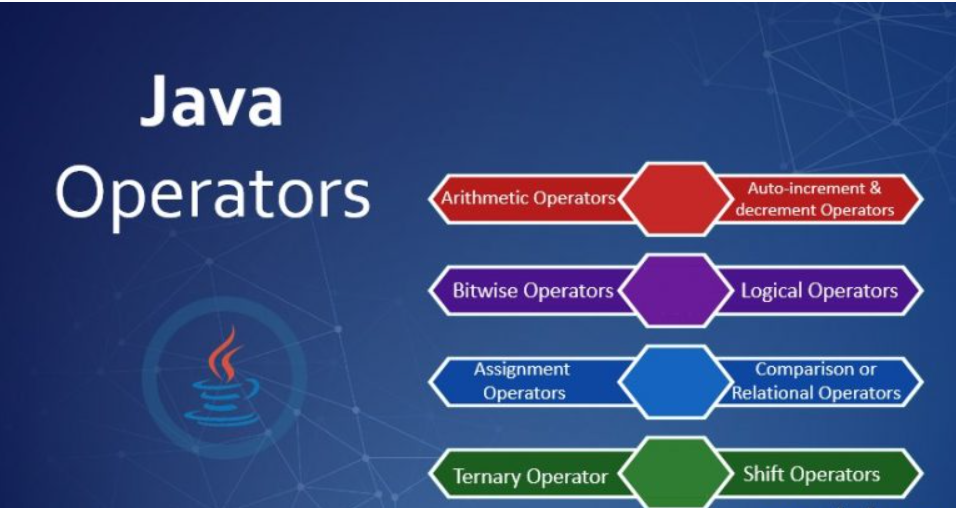
    • Arithmetic Operators

    • Relational Operators

    • Logical Operators

    • Bitwise Operators

    • Assignment Operators

    • Conditional Statements (if, if-else, nested if)

    • Switch Statement

    • Loops (for, while, do-while)

    • Break and Continue

    • Nested Loops

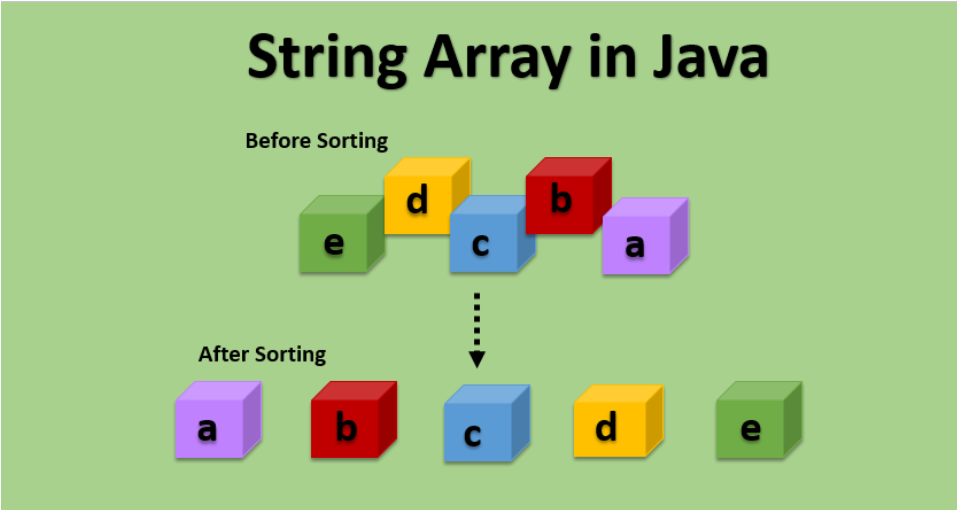
    • Single-Dimensional Arrays

    • Multi-Dimensional Arrays

    • Array Initialization

    • Array Traversal

    • Array Operations (Insert, Delete, Update)

    • String Class

    • String Methods (length, substring, concat, etc.)

    • StringBuffer & StringBuilder

    • Comparing Strings

    • String Manipulation Examples

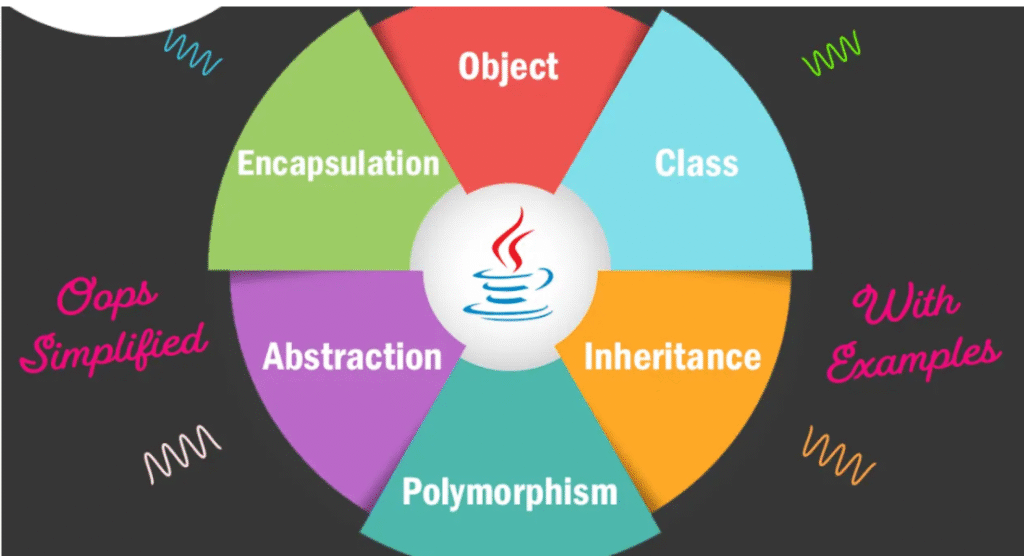
    • Classes and Objects

    • Fields and Methods

    • Constructors

    • Access Modifiers (public, private, protected)

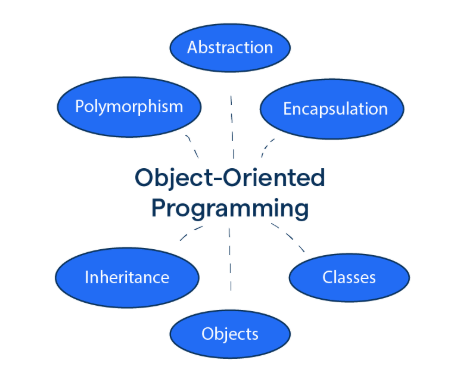
    • Encapsulation

    • Abstraction

    • Class Relationships

    • Method Overloading

    • Object Lifecycle

    • this Keyword

    • Single Inheritance

    • Multi-Level Inheritance

    • Hierarchical Inheritance

    • Method Overriding

    • Super Keyword

    • Abstract Classes

    • Interfaces

    • Polymorphism Types (Compile-Time & Runtime)

    • Dynamic Method Dispatch

    • final Keyword

    • Introduction to Exceptions

    • Types of Exceptions (Checked & Unchecked)

    • Try Block

    • Catch Block

    • Finally Block

    • Throw Keyword

    • Throws Keyword

    • Multiple Catch Blocks

    • Nested Try-Catch

    • Custom Exceptions

    • File Class Overview

    • Reading Files (FileReader, BufferedReader)

    • Writing Files (FileWriter, BufferedWriter)

    • Byte Streams (FileInputStream, FileOutputStream)

    • Character Streams

    • Serialization & Deserialization

    • File Operations (Create, Delete, Rename)

    • File Paths

    • Exception Handling in I/O

    • Practical File Handling Examples

    • Introduction to AWT & Swing

    • JFrame and JPanel

    • Layout Managers

    • JButton, JLabel, JTextField

    • JCheckBox & JRadioButton

    • JComboBox & JList

    • Event Handling (ActionListener, MouseListener)

    • Menu Creation

    • Dialog Boxes (Message, Input, Confirm)

    • GUI Practical Examples

Lorem ipsum dolor sit amet, consectetur adipiscing elit. Ut elit tellus, luctus nec ullamcorper mattis, pulvinar dapibus leo.

  • What is Tally Prime?

  • Importance of Tally in Accounting

  • Difference between Tally ERP 9 & Tally Prime

  • Installation & Setup of Tally Prime

  • Tally Prime Interface Overview

  • Company Creation in Tally

  • Company Info Menu (Create, Alter, Shut)

  • Gateway of Tally Explanation

  • Basic Shortcut Keys of Tally Prime

  • Navigation in Tally

Why Choose ICC Computer Centre, Dwarka Mor?

  • Experienced & certified trainers

  • 100% practical training on latest Tally Prime version

  • Small batches for personal attention

  • Free study material & practice exercises

  • Flexible timings (Morning/Evening/Weekend)

  • Location advantage: Just 2 min walk from Dwarka Mor Metro Station

Who Can Join This Course?

  • Students from commerce or non-commerce background
  • Job seekers looking for accounting roles
  • Small business owners who want to manage accounts themselves
  • Professionals who want to upgrade skills

Course Duration & Mode of Learning

  • Duration: 2 months (can be customized)
  • Mode: Classroom training at Dwarka Mor + Online classes available
  • Flexible batch timings (morning/evening/weekend)

Career Opportunities After the Course

  • Accountant
  • GST Executive
  • Data Entry Operator
  • Tally Operator
  • Accounts Assistant in small and medium businesses

FAQs (Frequently Asked Questions)

1. Kya beginners Java course mein enroll kar sakte hain?

  • Haan, beginners ke liye specially structured curriculum available hai. Basic computer knowledge kaafi hai.

  • Haan, students apne convenience ke hisaab se online ya offline classes choose kar sakte hain.

  • Haan, students ko hands-on coding projects, exercises, aur mini real-world applications ke through training di jaati hai.

  • Java Developer, Software Engineer, Web/Application Developer, Android Developer, Database Programmer, QA Tester, aur Freelance Developer.

Scroll to Top